Hey everyone,
I’m really excited right now: The biggest update in RumX’s history is right around the corner. Almost every screen in the app is brand new – the rum page, the feed, rating, shopping, community, onboarding for new users, the shopping cart, and the navigation that ties it all together.
Right now we’re putting the new version through its paces as a team. After that, the Android version launches first, followed shortly by the iOS version. I’ll let you know here in this thread as soon as it goes live.
This time I’m showing you what’s coming beforehand
Some of you – especially our power users – felt blindsided by previous changes because we didn’t announce them in advance. That criticism was fair, and I’ve taken it to heart. That’s why this post exists, before the update lands in your app.
It started with listening
Maybe you remember the little card at the top of the Shopping tab: «Have 20 minutes to help make the shop better? No sales pitch, just listening.» Those 20 minutes turned into countless conversations over the past few months. You showed me your app, your habits, your little workarounds – and exactly where RumX was getting in your way.
A thousand thanks to everyone who took part in the Founder’s Office Hours! You made time and were honest, even when it stung a bit. This redesign wouldn’t exist without you. 
Here’s what I took away from those conversations:
- RumX can do a lot – but you can’t find it. Too much was buried in the menu behind the three lines.
- Too much at once. Banners, badges, multiple buttons for the same goal.
- Tell me what I really pay. With shipping, delivered to my place – and whether that’s a good price.
- Rating should be fast. Three seconds for some people, fourteen flavors and a photo for others.
- Show me the people. What are my friends drinking, who tastes like me, which bottle is getting shared right now?
Then we measured
Conversations show what bothers people. Numbers show how often. So we also analyzed how RumX is actually used. A few things surprised even me:
- 24,683 tastings since the end of March – we looked at all of them. 73% come from power tasters with 20 or more tastings – with a median of 14 flavors, half with photos. At the same time, more than one in three tastings is just a rating. So rating had to work both ways: quick and really detailed.
- Your Top Matches were the most-tapped button on all rum lists on the Shopping page – but ranked 11th. Only one in five even saw them.
- Bottle shares are real magnets: In September, roughly 15% of all active members opened a push notification about a share. In the Community tab, they were still just a tab way down at the bottom.
- 32% of newcomers didn’t even know the bottles in the onboarding quiz. And if you already had an account, you still had to go all the way through it.
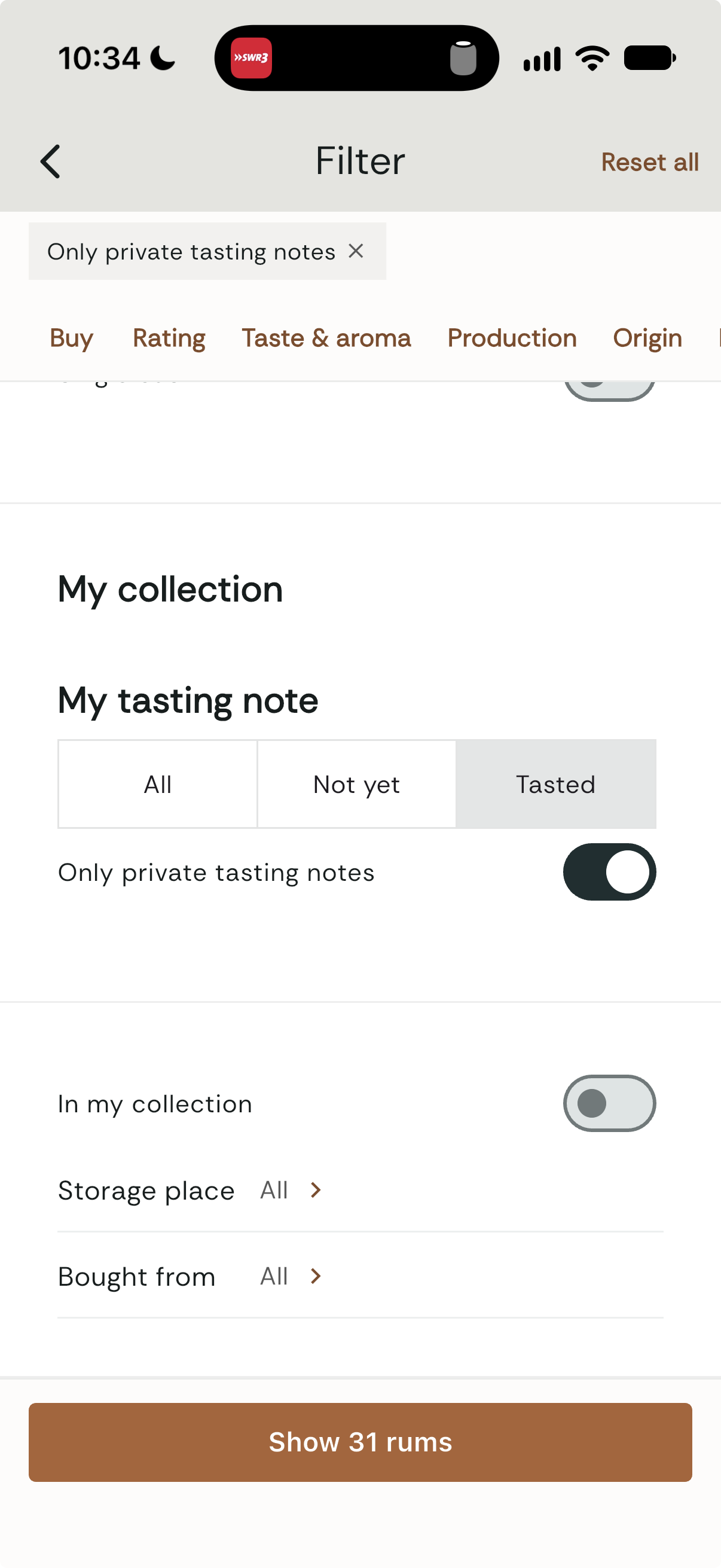
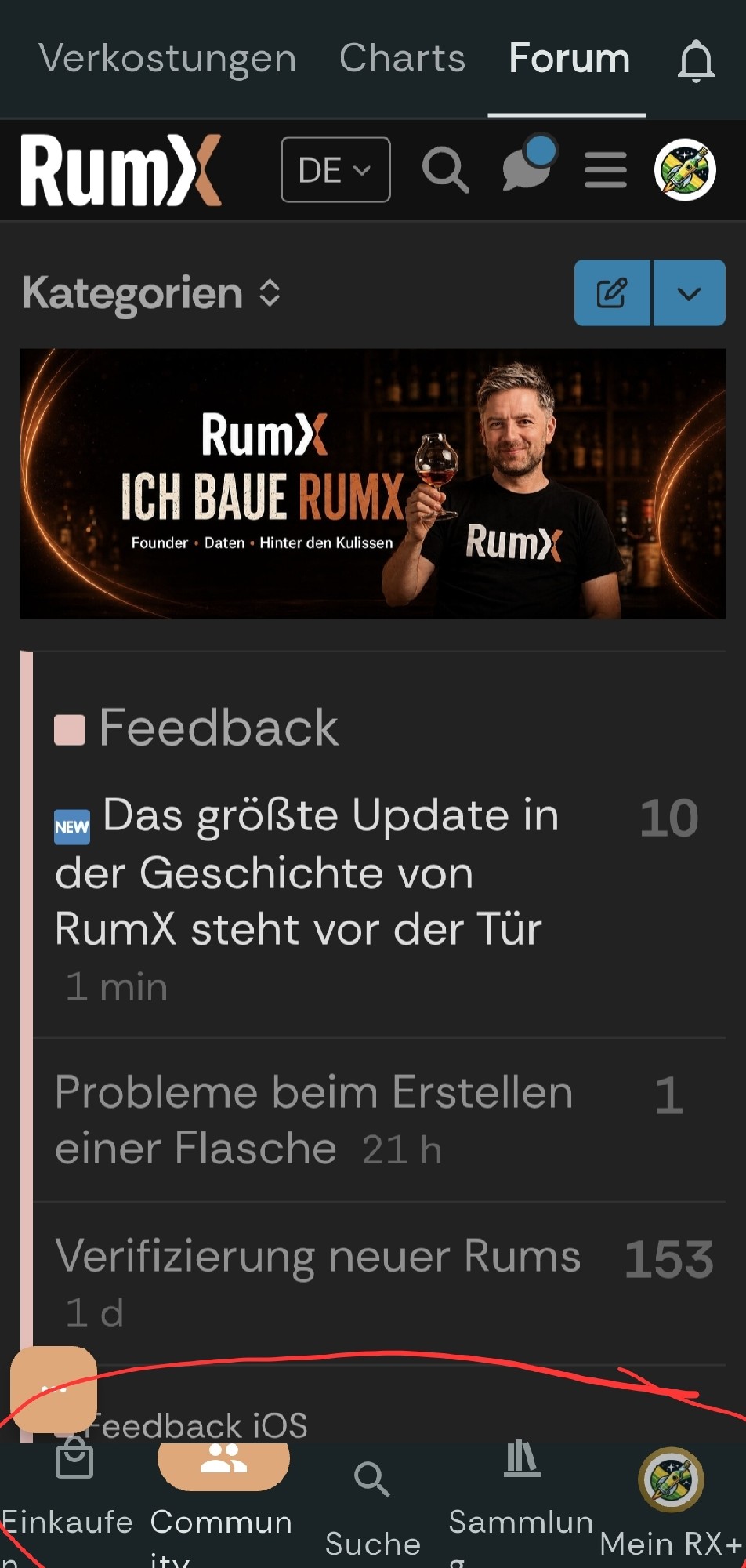
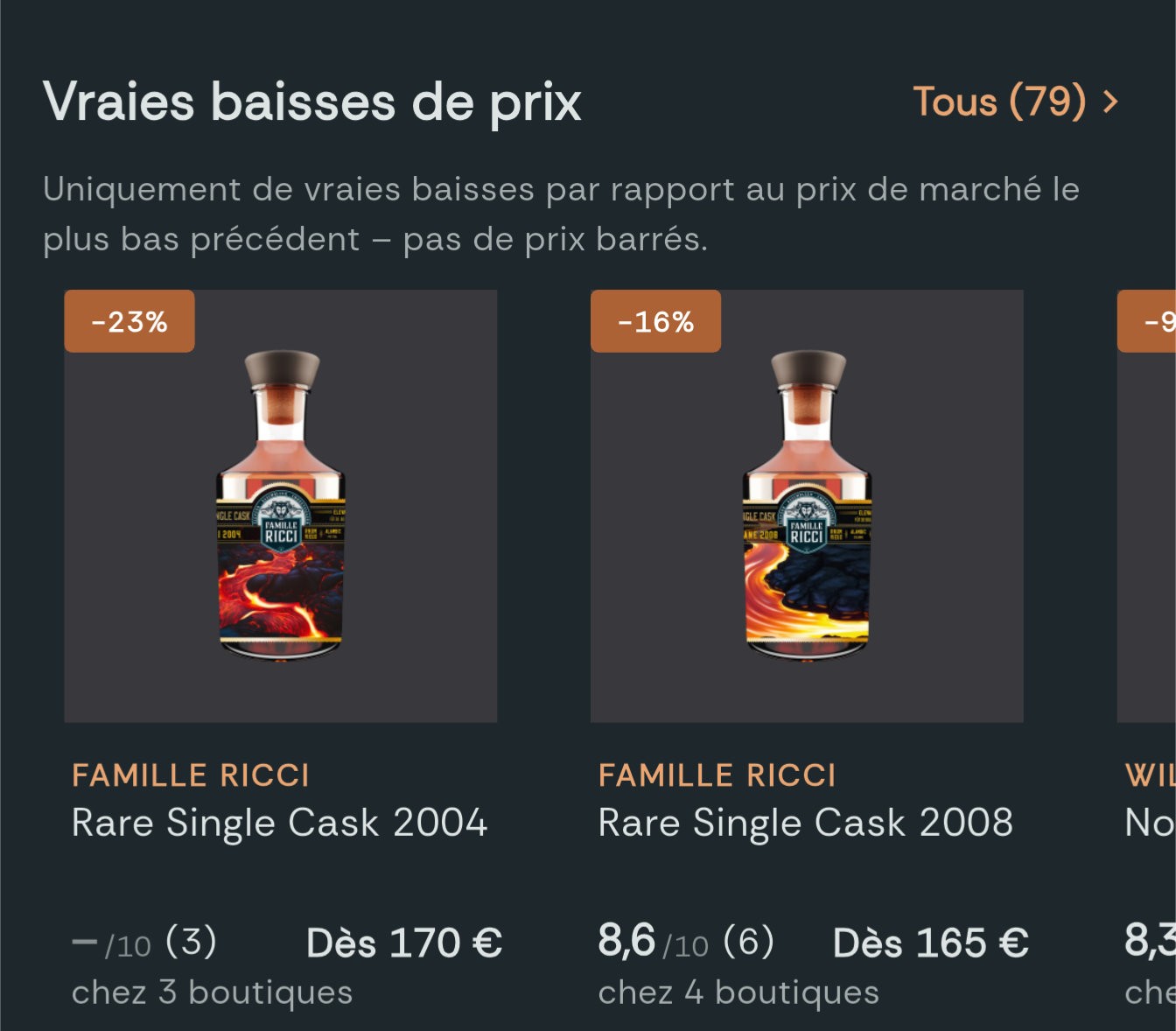
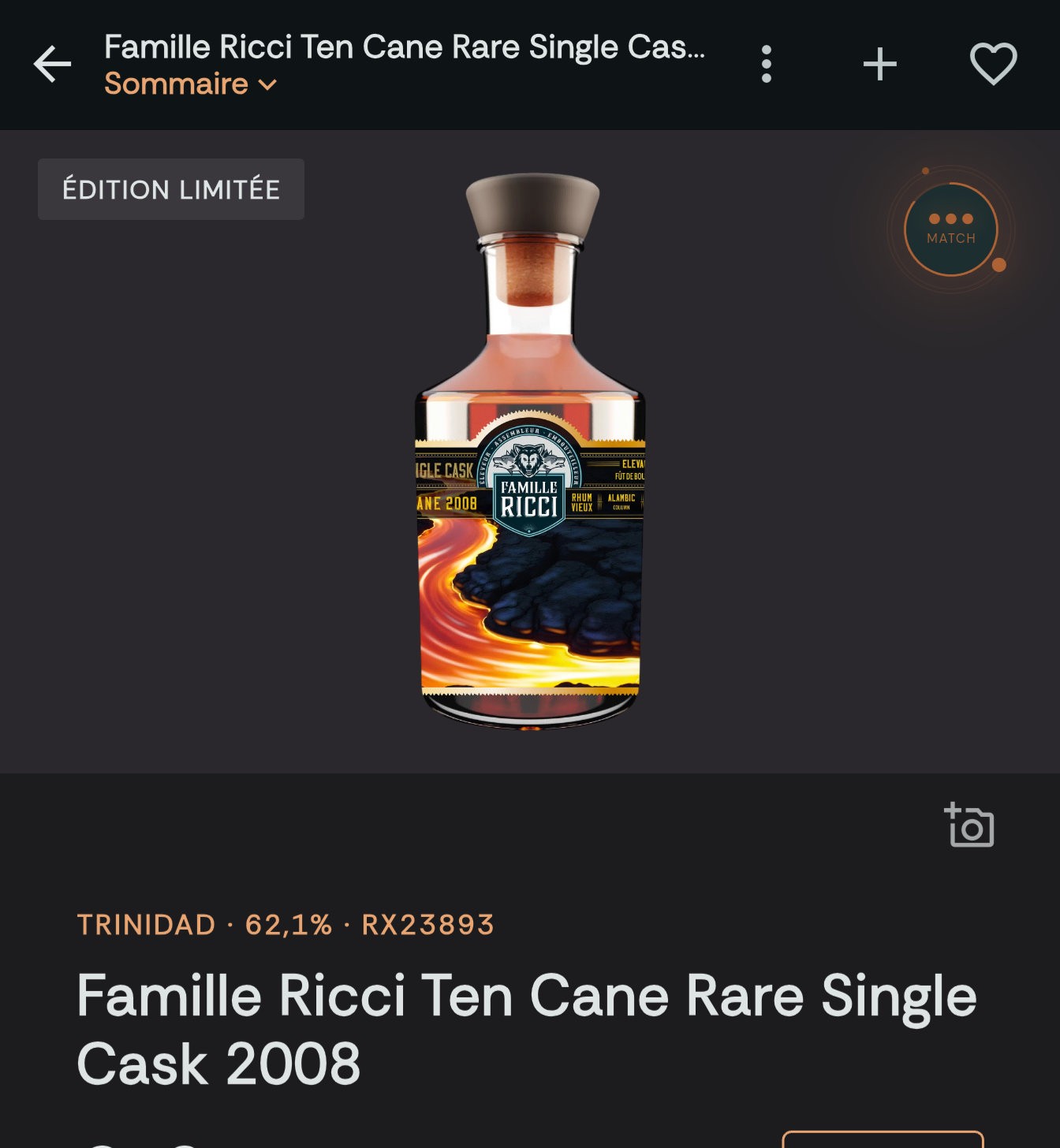
From conversations and numbers, over the past few weeks a design board emerged with over 160 drafts. Every screen has its before screenshots, a diagnosis, a target image, and all the edge cases: empty lists, endless rum names, large text, no network. The images below come straight from that board – on the left the current app each time, on the right the new design. Some details might look different in the actual app.
What’s new
1. The rum page: one question per section
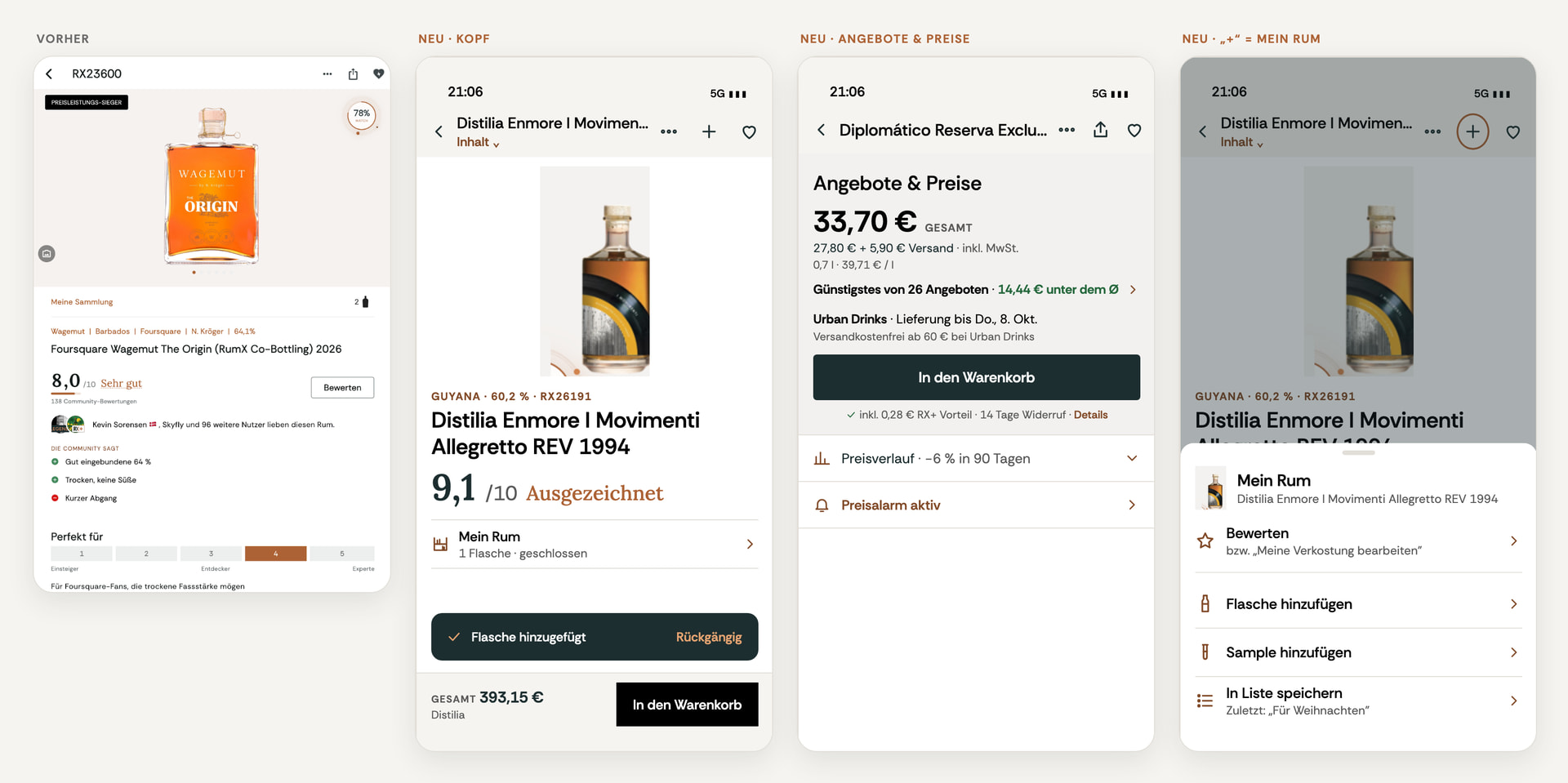
At the top you instantly see what matters: name, rating, and in one line whether the rum is already in your collection. Below that come seven chapters – Offers & Prices, Taste, Ratings, My Rum, Community Shelf, Origin & Data, Similar Rums. Using «Content ⌄» under the name, you jump straight there.
- Total price takes the lead. The big number is what you pay – including shipping. Below it shows what goes into it, and an honest judgment like «Cheapest of 26 offers · €14.44 below average».
- «+» top right opens My Rum: Rate, Bottle, Sample, List – two taps. And if you made a typo: «Undo».
- At the bottom there’s a sleek purchase bar instead of multiple floating buttons.
2. The feed: who · which rum · how good
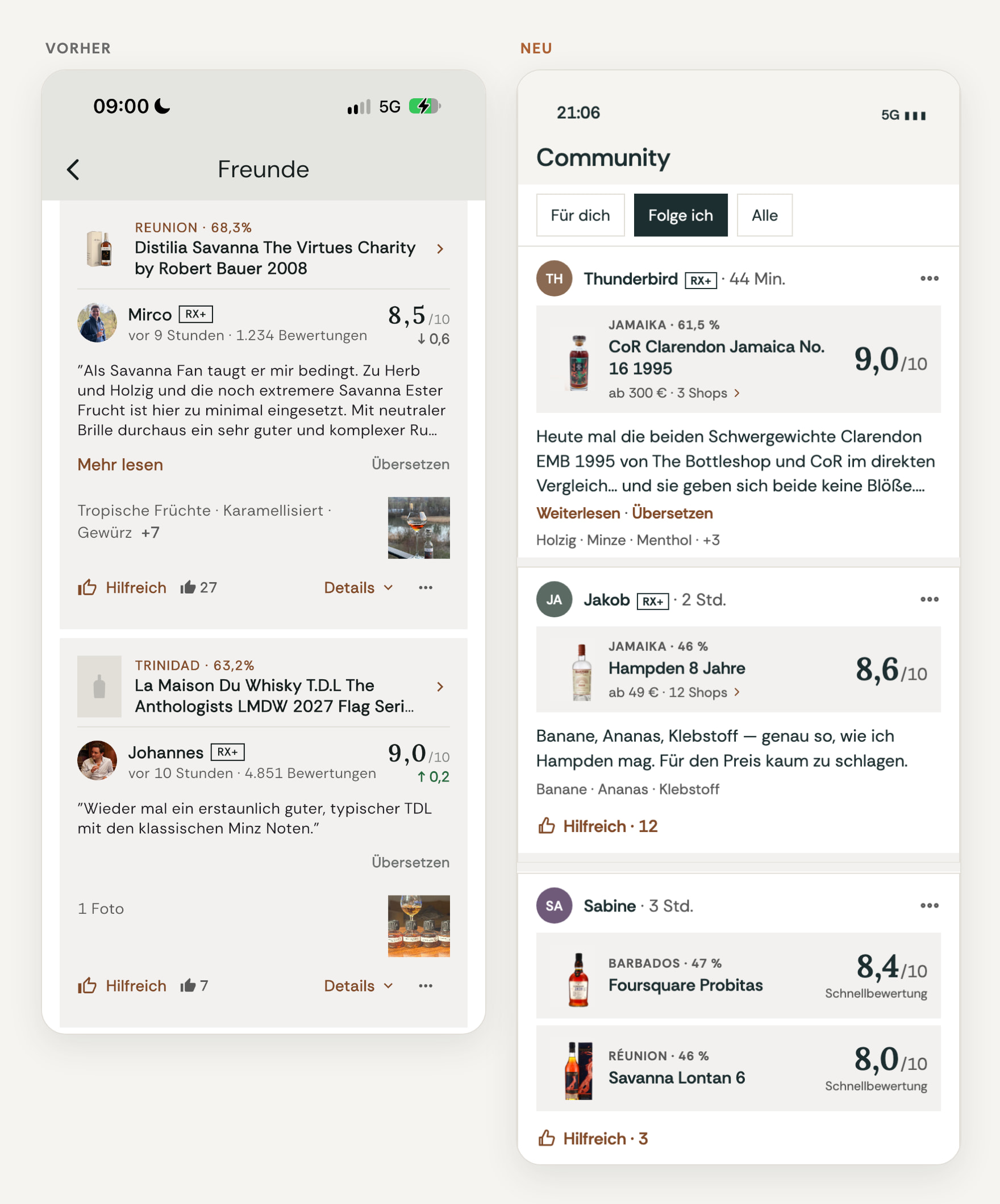
Every tasting now reads in one second: first the person, then rum and rating as one unit, then the text. A double tap means Helpful, a tap on the number next to it shows who reacted. Multiple quick ratings from one person land bundled in one post, instead of flooding the feed. «Read more» opens the full tasting on its own page.
3. Rating: quick or really detailed

The rating sits big at the top. Below, flavor families help you get started – and if you want to be more precise, describe smell, taste, and finish with search, «Recently used by you», and community suggestions. For the quick rating there are four buttons on every rum page, from Ugh to Excellent.
4. Shopping: less ads, more rum
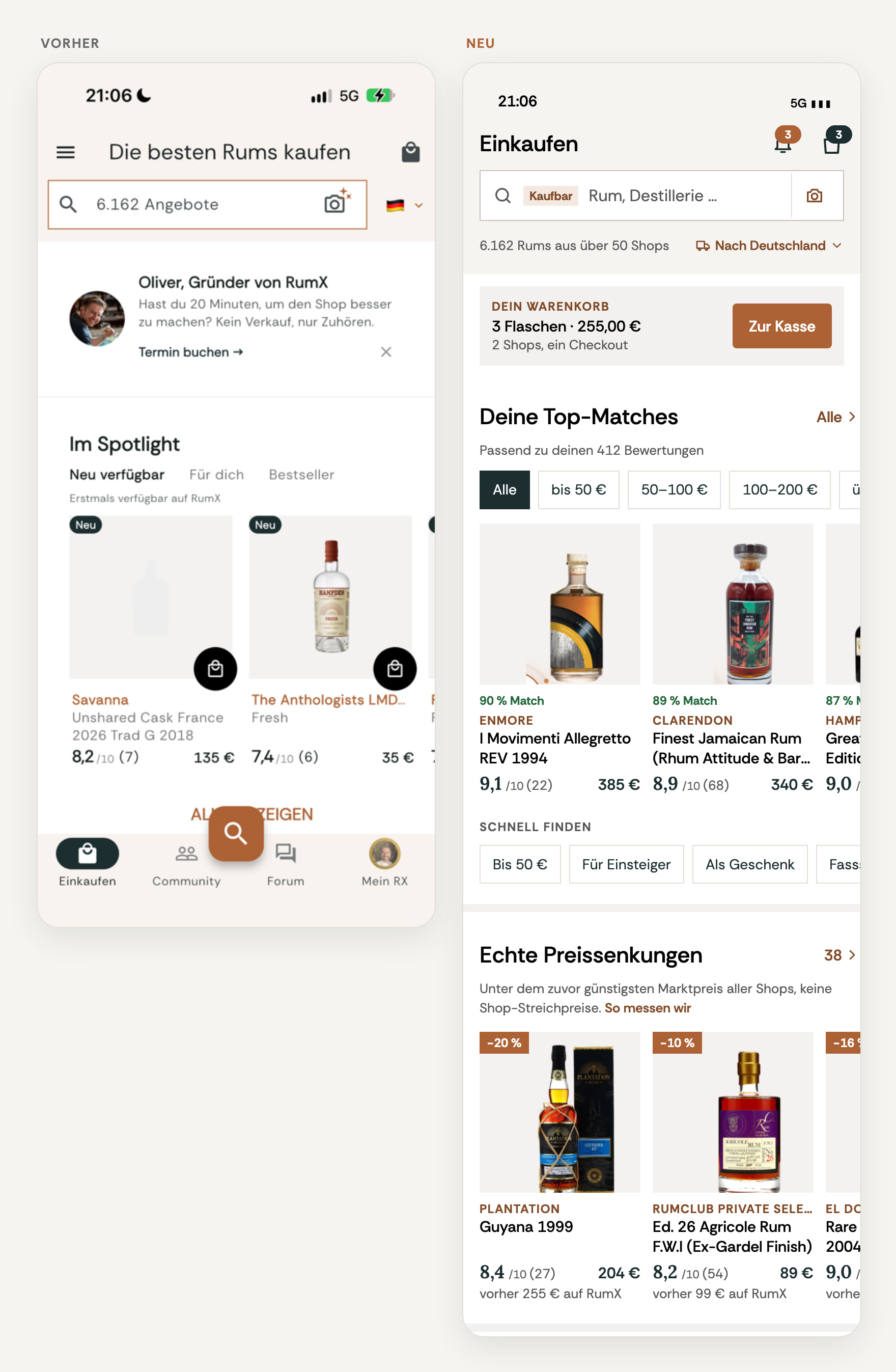
At the very top is your open shopping cart (if you have one), right after come your Top Matches – filterable by budget. «Real price cuts» show only rums that are below the cheapest price ever at any shop. Shop markups don’t count. Most banners are gone; the top lists stay, just quieter.
5. Five tabs, each with a job
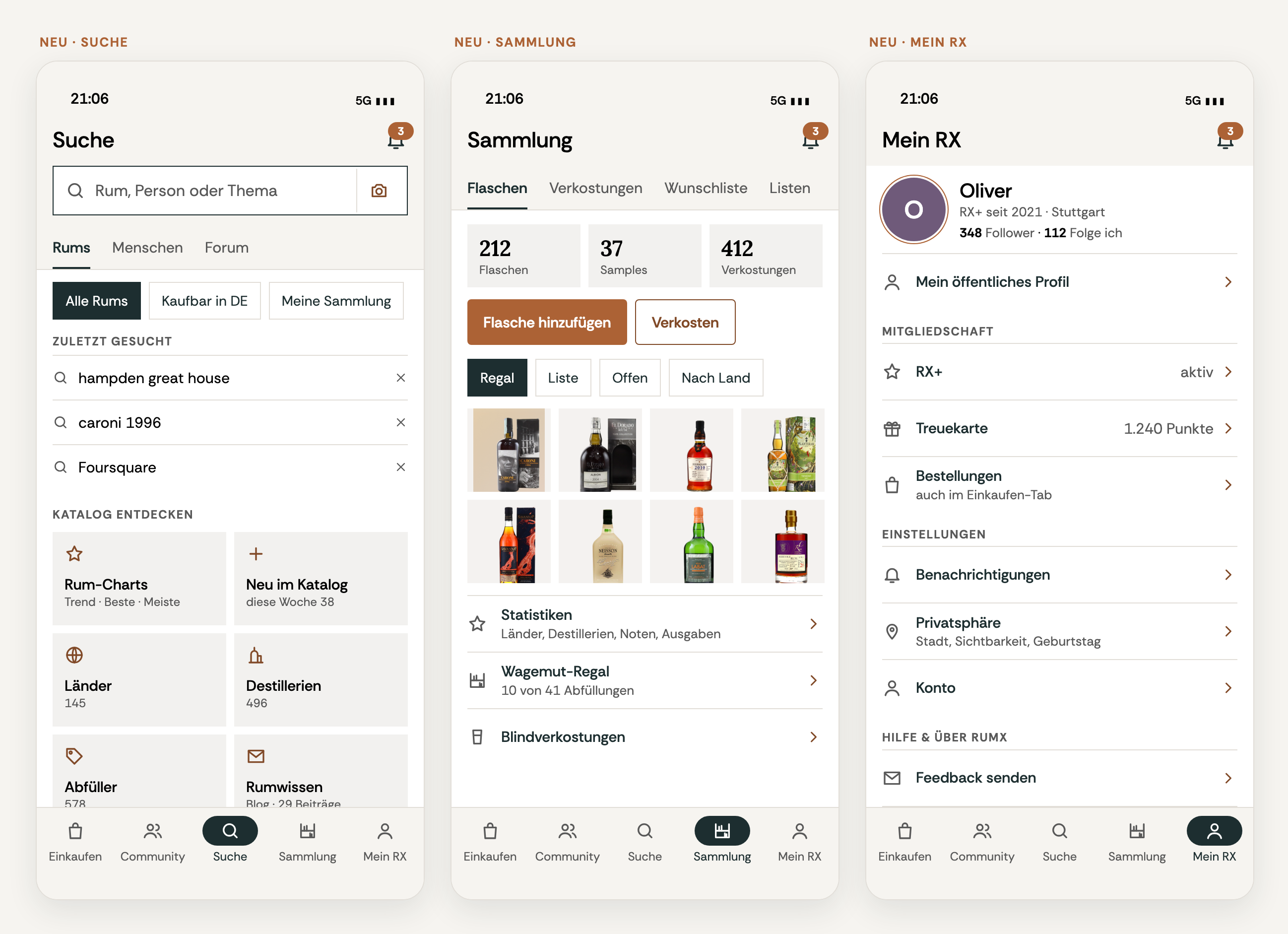
Shopping · Community · Search · Collection · My RX+. Search is now its own tab and finds rums, members, and forum posts in one place. Your collection has its own tab, and My RX+ is an overview instead of a settings page. You barely need the menu behind the three lines anymore.
6. Community: the social part front and center
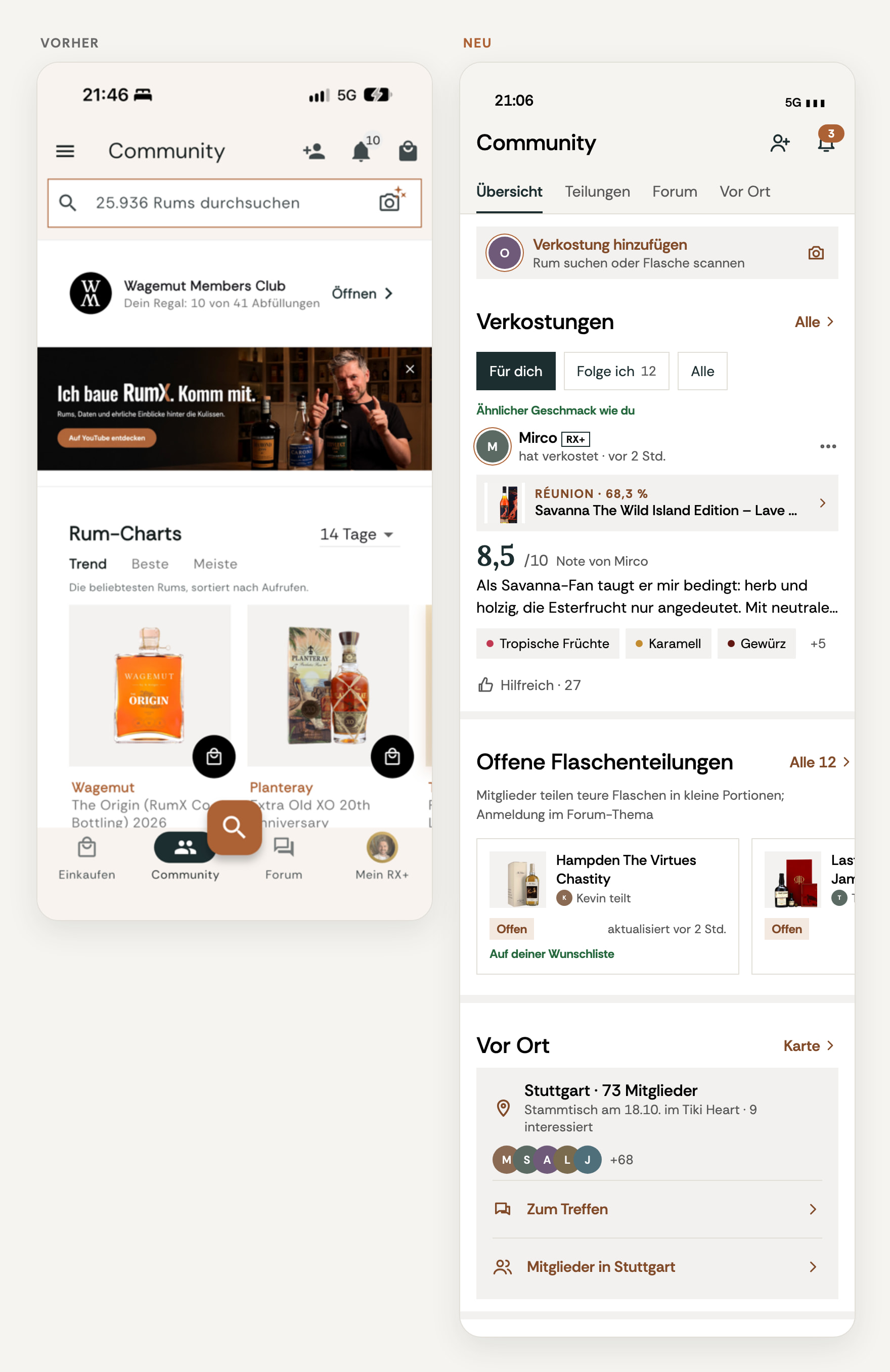
The Community tab now starts with what makes RumX special: your tastings (For you · Following · All), open bottle shares, and the forum, which now lives right here.
7. Onboarding for newcomers
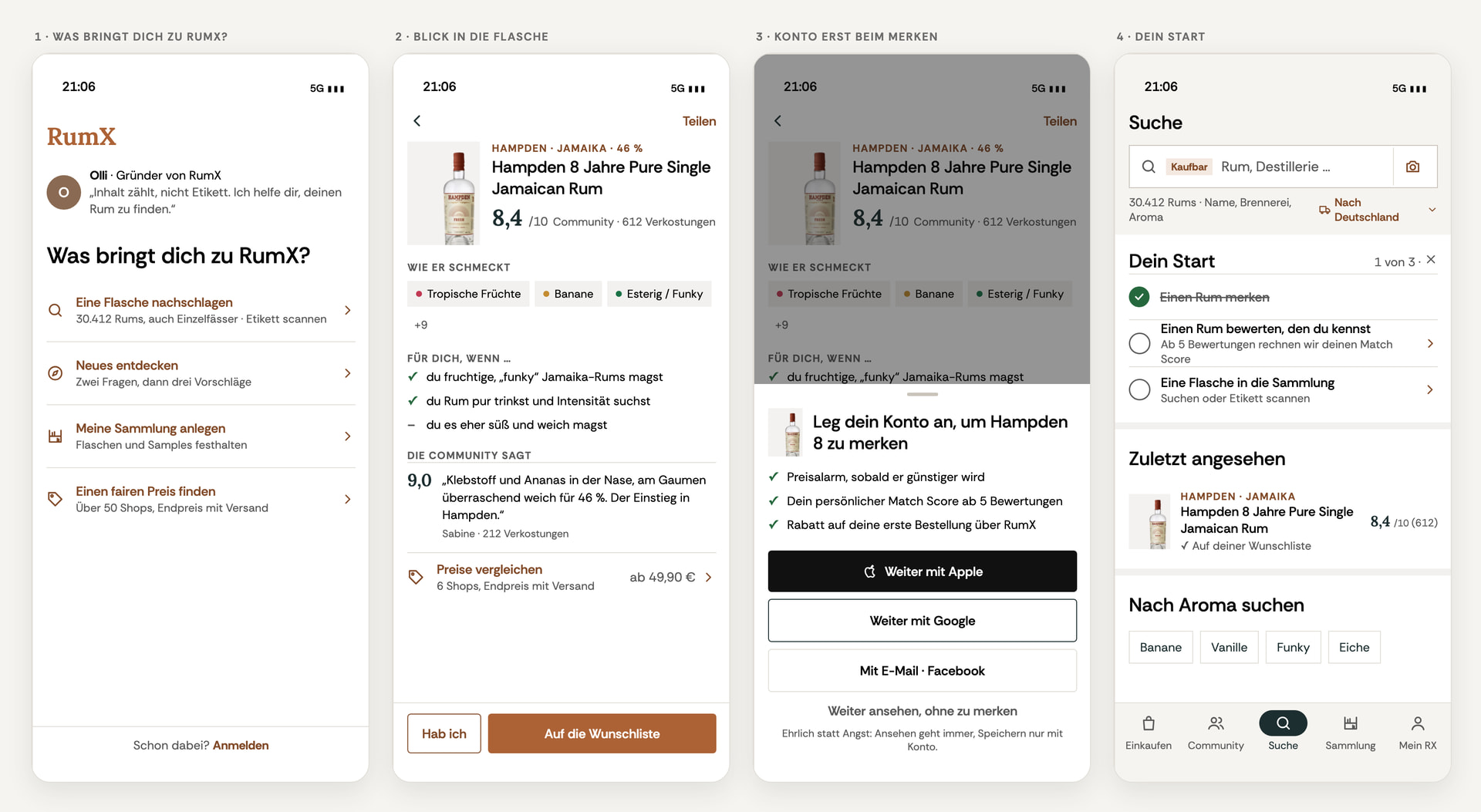
Newcomers are asked what brings them to RumX – looking up a bottle, discovering something new, building a collection, or finding a fair price – and land right there. An account is only needed when you want to save something. If you’re already on board, you sign in with a tap and skip the rest.
8. The shopping cart speaks the same language
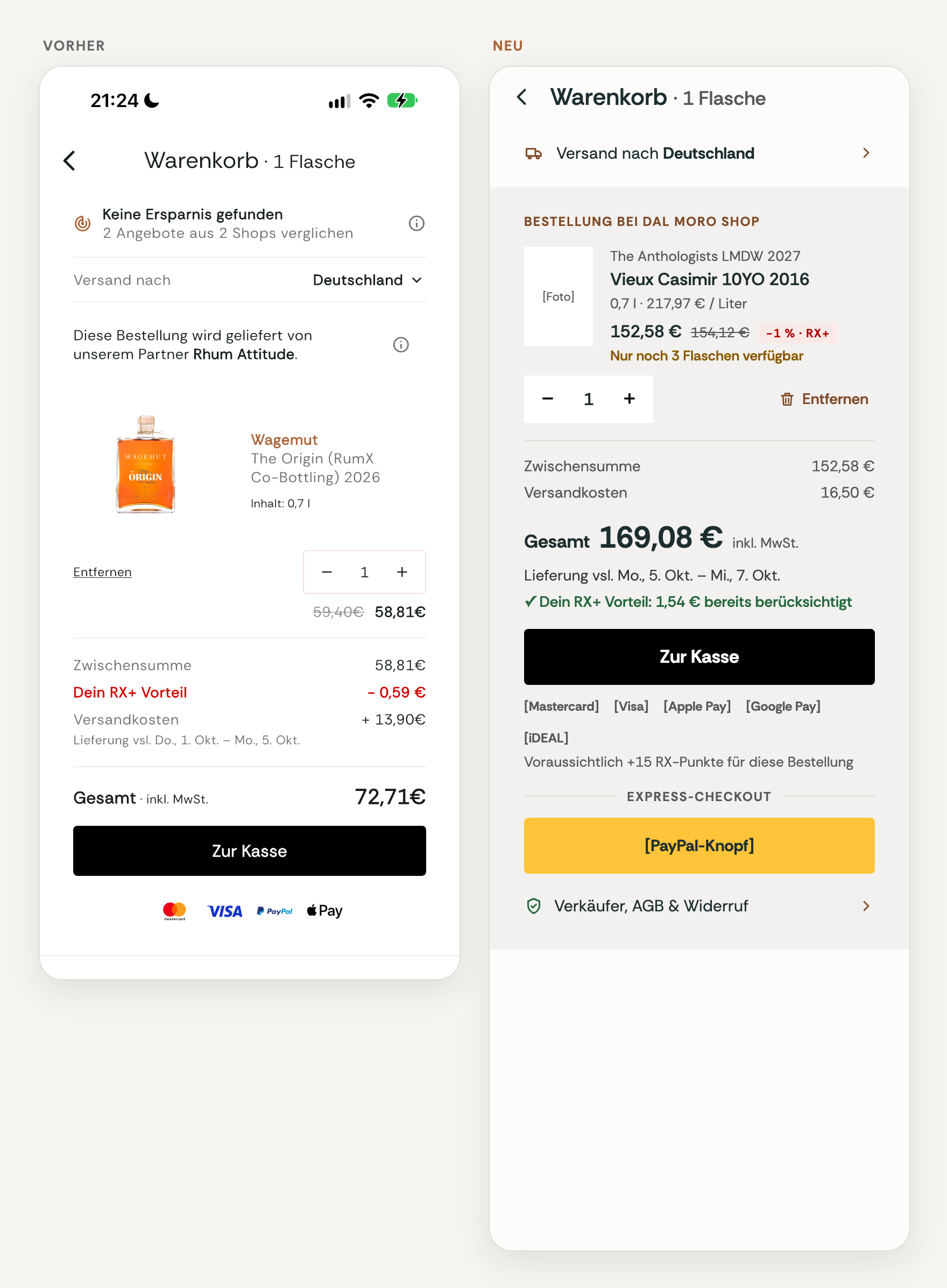
One section per shop, total price up front – and every RumX discount shows as «✓ … already included», never as a confusing minus line.
And lots of small things
- Consistent messages at the bottom edge, usually with Undo – for wishlists, bottles, and samples.
- A new followers overview where you can follow back directly.
- Better readability with large system font, with VoiceOver and TalkBack, and in Dark Mode.
An honest word about getting used to it
With changes this big, you naturally need some time to adjust. Your hand still reaches for the button in its old place, your eye jumps to the old spot. What feels unfamiliar or maybe even silly at first often feels brilliant and thoughtful after a few days or weeks of using it.
So my request: Give the new RumX a few days before you make your final judgment. And still tell me right away what bothers you – both go together.
This is just the beginning
The redesign is work in progress. It’s not a finished product we roll out once and then check off, but a starting point: Based on your feedback, we’ll keep improving it step by step. A lot of what you said in those conversations is already in there – and what you write now flows into the next versions.
So share your impressions liberally here in this thread! What do you like at first glance, what are you missing, what are you looking forward to? Once you have the app, feel free to add screenshots. I look forward to every single piece of feedback and read it all.
If you’d rather talk to me directly: Just send me a DM.
- The new rum page
- The new feed
- Faster rating
- Shopping with total price including shipping
- The five tabs and new search
- Community with bottle shares and forum
Thank you for making RumX what it is. I’m thrilled to take this next step with you!
Cheers,
Oli